





Google announces Search Generative Reports In Search Console


Jun 05, 2026
 7 min
7 min


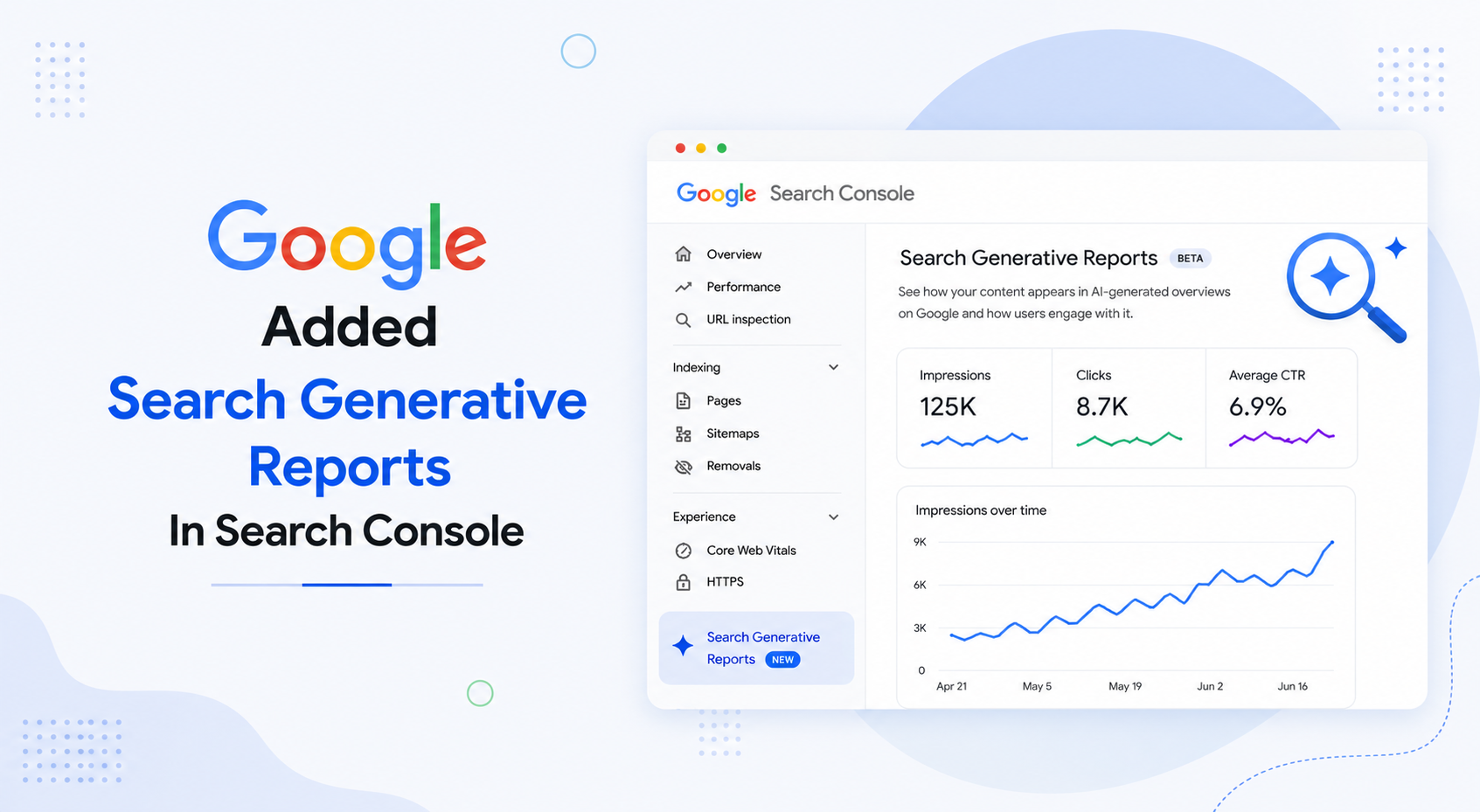
Google is rolling out Search Generative AI performance reports to Search Console. In my opinion, this is valuable update for website owners, SEO teams, publishers, and business leaders because it provides us with greater insight into how content performs in Google’s AI-powered search experiences.
Search has been changing quickly. Users are no longer interacting only with traditional blue links. They are seeing AI-generated answers, summaries, and source references directly inside the search experience. For businesses, the change creates a more direct question: is my content appearing in these AI results, and if yes, how often?
Search Console showed overall performance data, but it did not provide a dedicated view of how websites appeared in generative AI features. That made it harder for teams to understand whether visibility was coming from traditional search results or AI-led search experiences.
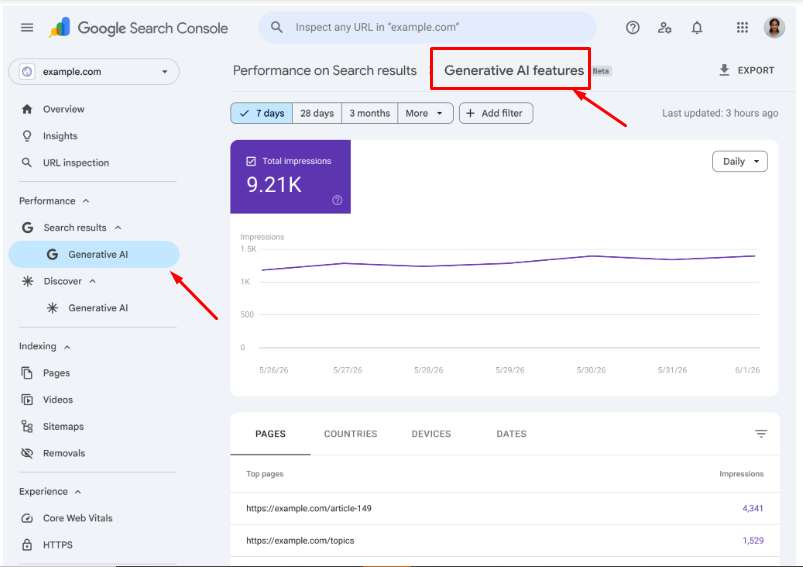
Google now provides site owners with a separate Search Console view to track the visibility of generative AI experiences such as AI Overviews, AI Mode, and AI features in Discover. While this data is still included in the main Performance report, the new view makes it easier to analyze AI-driven impressions independently.
These new reports help you tackle that issue.
Credits: Google developers
What Google Has Introduced
Google’s Search Generative AI performance reports are designed to show how a website appears in generative AI experiences across Google Search. This includes AI Overviews and AI Mode, along with other AI-powered search surfaces, summarizing information and linking to relevant sources.
The report gives site owners a more specific view of their AI search visibility. It can show data such as impressions, pages, countries, devices, and dates. In simple terms, it helps you understand where Google’s generative AI search experience shows your website.
Without a separate report, those patterns are easy to miss.
Why This Update Matters
I think the latest update matters because it gives website owners a clearer way to measure AI visibility. For the last two years, SEO teams have been trying to understand how AI Overviews and generative search features affect organic performance
Many businesses noticed changes in impressions, clicks, and CTR, but it was not always clear what caused those changes.
The new feature helps businesses move away from guesswork. It gives them a way to see whether their content is appearing in generative AI features and how that visibility changes over time.
Many B2B searches happen early in the buyer journey. Buyers search for problems, solutions, comparisons, pricing factors, implementation risks, and decision frameworks before they speak to a vendor.
If your content appears in those AI-led research moments, your brand can influence how buyers understand the topic. That visibility may not always turn into an immediate click, but it can still shape awareness and trust.
This is why AI search reporting should not be viewed only as a traffic report. It is also a visibility report.
What Businesses Should Look At First
The first thing I would check is whether the report is available in your Search Console property. Google is rolling the feature out gradually, so not every website may see it immediately.
Once available, the first area to review is page-level performance. Look at which URLs are appearing in generative AI experiences. This will help you understand what type of content Google is selecting for AI search results.
Some pages may stand out immediately. These could be educational blogs, service pages, comparison pages, industry guides, FAQ-style resources, or detailed explainers. These pages often work well because they help answer specific questions clearly.
The next step is to compare AI visibility with traditional search performance.
If a page has strong AI impressions but low clicks, It may mean the page appears in an AI summary, where the user receives enough information before clicking. That still has value, especially for awareness and authority.
If a page has strong visibility in both traditional search and generative AI search, that page should be reviewed carefully, updated regularly, and connected to the right conversion path.
If an important business page has no generative AI visibility, the team should review its content quality, structure, topical depth, and usefulness.
How This Changes SEO Reporting
I wouldn't consider this just another reporting feature. It changes how we interpret organic performance.
This is not just a technical reporting change. It changes how teams interpret performance.
A lower CTR is not always a sign of bad rankings or weak title tags. Users might be interacting with the AI-generated answers before clicking. Even a page that requires fewer clicks can crop up often in AI results. A page with moderate rankings can still be very influential if users cite it or if AI experiences surface it.
That’s why SEO teams should stop viewing organic performance as a single metric.
A better approach is to think about search performance in layers—traditional search visibility, generative AI visibility, user engagement, and business outcomes.
What This Means for Content Strategy
I do not think this means businesses should write only for AI Overviews or AI Mode. That would be the wrong approach. The better direction is still clear: helpful, reliable, people-first content should remain the foundation.
But now content needs to be easier for users and search systems to understand.
That means pages must clearly answer the main question. They should expand on related concepts without overcomplicating the topic. They should use direct headings, specific examples, and practical context. They should avoid vague, generic explanations that too often sound like every other article on the web.
Decision-makers don’t need vague content. They require clarity. They want to know what something means, why it matters, what the risks are, and what to do next.
Content that does this well will be more likely to perform across the modern search experiences.
For example, a page about marketing automation should not just define marketing automation. It should explain when a business needs it, what systems are usually involved, what problems it solves, what mistakes teams make, and how it connects to revenue operations.
That kind of content has more practical value. It also gives Google more useful context to understand the page.
What SEO Teams Should Do Now
If I were reviewing this report for a business, I would start with the most important content categories. That means pages that generate leads, pages that support sales conversations, and pages that explain core services or products.
And then see if those pages appear in the new generative AI performance reports.
If they do, search for a pattern. What is coming into view? What countries are displaying impressions? What devices? Which URLs are appearing the most?
If they don’t, reconsider the page quality. It may be not only a technical problem. The content may be too shallow, too promotional, too vague, or not structured around real user questions.
Teams should not overreact to early data either. These are new reports, and the search behavior of AI will continue to change. The aim should be to search for patterns, improve important pages, and build a stronger measurement system over time.
How to Generate AI Reports in Search Console
Once the Search Generative AI report becomes available in a Search Console property, it can be accessed directly from the Performance section.
From there, the user can open the Performance report and look for the dedicated view labeled Search Generative AI. This filter makes it possible to isolate visibility coming from AI-powered search experiences—such as AI Overviews and AI Mode—without manually sorting through broader performance metrics.
The report allows segmentation by page, country, device, and date range, offering a clear view of where content is gaining traction specifically in generative AI results.
A particularly useful signal is when a page performs well in generative AI search but poorly in traditional web search. That discrepancy often points to content opportunities that would be difficult to uncover using standard Search Console reports alone.
Because Google is rolling out this report gradually, not every website will have immediate access. If the dedicated Search Generative AI section is not yet visible, it's best to continue monitoring the main Performance report while waiting for the feature to become available.
Conclusion
From my perspective, the performance reports for Search Generative AI from Google are a significant leap forward in helping to track AI search visibility.
For businesses, this means SEO is becoming broader, not smaller. Ranking still matters. Clicks still matter. But visibility inside AI-led search experiences now matters too.
The companies that adapt early will understand how users discover their content. They will know which pages are influencing search visibility, which topics are gaining traction, and where their content needs improvement.
Users are asking more complex questions. Google is answering in more dynamic ways. Businesses need reporting that shows where they fit into that experience.
Measure Your Visibility in Google's AI Search Experiences
Search Console now provides dedicated reporting for AI Overviews and AI Mode. Learn what the new reports reveal, how your content appears in AI-powered search experiences, and why these insights matter for your SEO strategy..



Your SEO, on autopilot
Saffron OS runs 15+ AI agents that audit your visibility across Google, ChatGPT, Gemini and Perplexity every day — then fix what's broken, automatically. Built over 18 months. Results in 2–15 minutes.
Explore Saffron OSFrequently Asked Questions
What's the difference between the Search Generative AI report and the overall Performance report?

The new report provides a dedicated view specifically for impressions within generative AI features, such as AI Overviews, AI Mode, and AI features in Discover. The overall Performance report still includes this data but mixes it with traditional search results, making it harder to analyze AI-driven impressions independently.
Why are my impressions increasing in Search Console, but clicks are decreasing?
Google counts AI Overview citations as impressions even when users don't click. When your content appears in an AI-generated answer, it registers as an impression, but users often read the summary and move on without visiting your site. Studies suggest that only a small percentage of users click links cited within AI-generated results.
What metrics are available in the Search Generative AI performance report?
The report shows impressions (how often URLs appeared in AI features), pages (which URLs appeared), countries (visibility by region), devices (what devices people use for Search results), and dates with hourly, daily, weekly, and monthly granularity. It does not currently include click data.
How do I identify AI-driven search queries in Search Console without the new report?
You can use a regex filter in Search Console's Performance tab to find long-tail, AI-style queries. Filter queries using Custom (regex) and set the minimum word count to 10 or more words, where users often phrase complete questions."
Can I block my content from appearing in AI Overviews and AI Mode through Search Console?
Yes, Google is testing a Search Console setting that allows websites to opt out of generative AI features. However, opting out means your content may no longer receive visibility, impressions, or traffic from AI-generated experiences, although it should not affect your traditional organic rankings.

Shreya Debnath

Shreya Debnath is a Marketing Manager at Saffron Edge with over 5 years of experience in SEO, AI-driven marketing, growth marketing, and technical SEO. She has hands-on expertise in optimizing existing content, improving performance, and driving scalable growth through data-backed strategies. She has worked with international markets, especially the US and UK, and diverse teams to build effective marketing campaigns, strengthen brand positioning, and enhance audience engagement across multiple channels. Her approach focuses on aligning sales and marketing to ensure consistent and measurable results. Outside of work, Shreya enjoys exploring new cities, pursuing creative hobbies, and discovering unique stories through travel and local experiences.
Related Blogs
We explore and publish the latest & most underrated content before it becomes a trend.



5 min read
How Does Customer Affinity Mapping Help Brands Analyze User Research?
By Sabah Noor

Subscribe to Saffron Edge Newsletter!


Your SEO, on autopilot
Saffron OS runs 15+ AI agents that audit your visibility across Google, ChatGPT, Gemini and Perplexity every day — then fix what's broken, automatically. Built over 18 months. Results in 2–15 minutes.
Explore Saffron OS